

Docs Visit website
Payments & cash

Fees Management

Create extra charges and check where they apply.

Add a Fee

A fee is an extra charge, such as a delivery fee. Open Settings > Fees Management > Add New Fee.

Enter its name and a fixed amount, percent, or both. Check whether it uses the subtotal or grand total. Subtotal is the item total before some added charges; grand total is the full amount.

Set Remove Fee Amount if the fee should go away at a set spend. Use Create As Assignee Tip? only for a fee meant as that worker's tip. Save and check a cart using it.
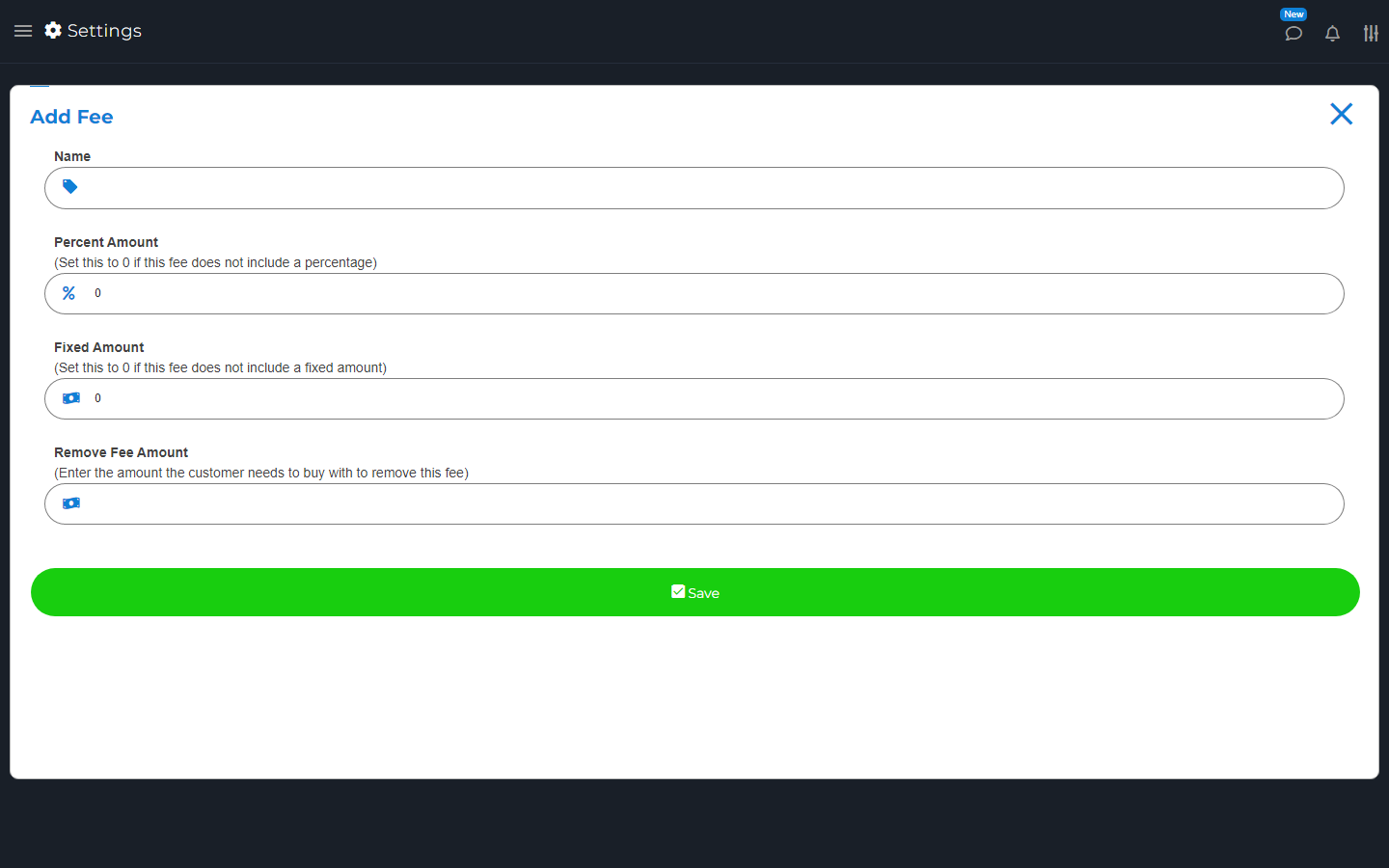
New fee form with name, amount and fee options, before saving.
Set the fee name and amount here. Check the choices before saving.

Edit or Delete a Fee

Find the fee and choose Edit or Delete. Check where it is used, such as Sell defaults, order types, Stripe, or online checkout.

Save and check those settings again. Do not assume a change rewrites old receipts. Explain required fees to buyers before they pay.

Search by topic, task or a few words.